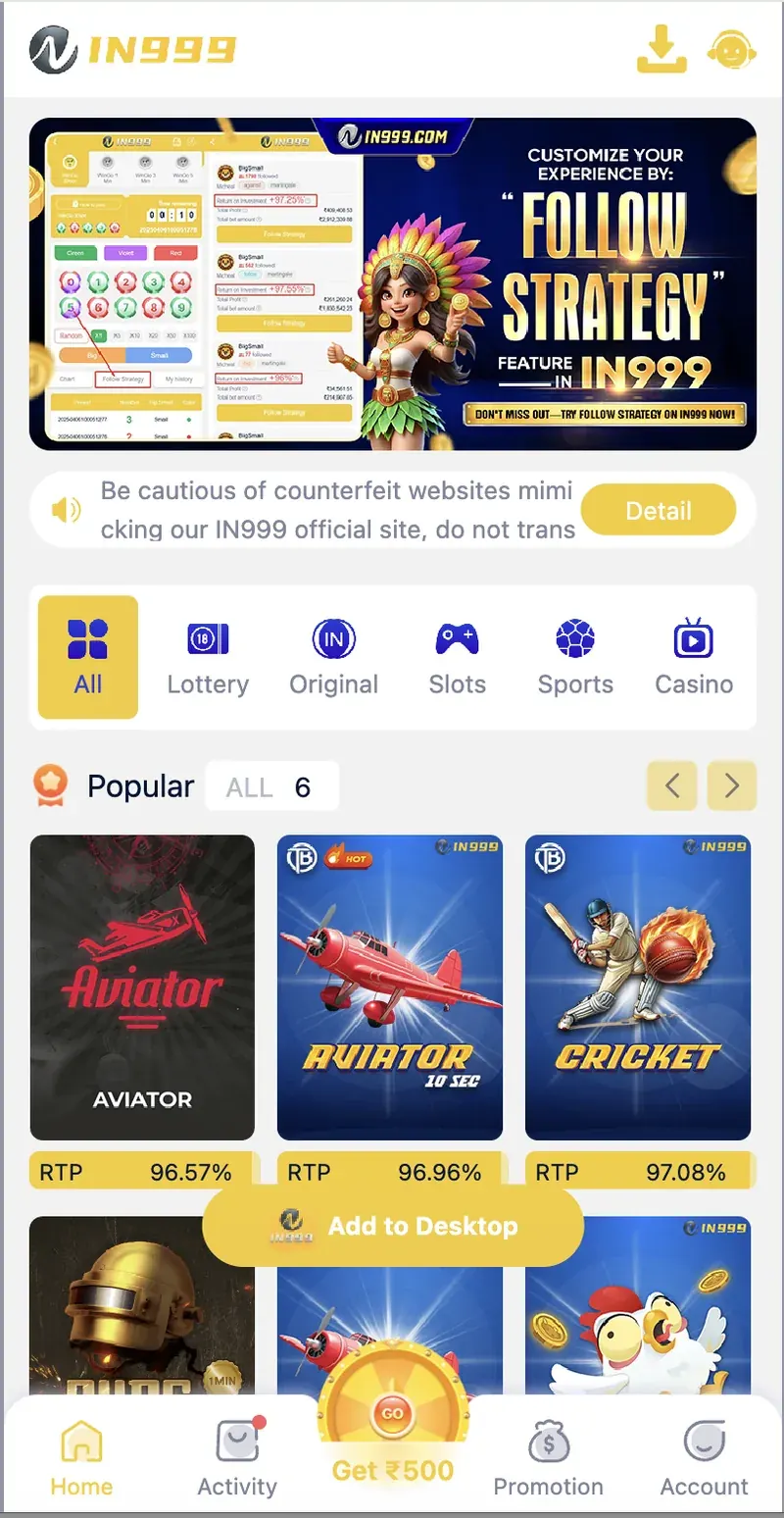
There is no in999 app for iPhone. Apple does not allow real-money colour prediction apps on the App Store in India. However, iPhone users can access in999 through Safari and add it to the home screen for a full-screen, app-like experience. All games, deposits, and withdrawals work the same way as the Android app.
On this page
Why there is no iOS app
Apple's App Store policy prohibits real-money colour prediction apps in India. Google Play has a similar policy, which is why even Android users have to install in999 through a direct APK download rather than from the Play Store.
For iOS, the situation is even stricter. Apple does not allow sideloading of APKs (the way Android does), and unlike the Android APK download, there is no way to distribute an iOS app outside the App Store for regular users. As a result, in999 — like almost every colour prediction platform in India — does not offer a dedicated iOS app.
The solution Apple does allow is the H5 web version, accessed through Safari. This works on any iPhone and provides the same functionality as a native app.
How to use in999 on iPhone
The process is simple. Open Safari, access the platform, log in or register, and the entire in999 experience is available.
Open Safari on your iPhone
Tap the Safari icon on your home screen. Type the in999 web address in the URL bar. Do not use third-party browsers unless Safari is not working — Safari provides the smoothest experience.
Log in or register
If you already have an account, enter your mobile number and password. If you are new, tap Register and use invite code 187587458275 to unlock the ₹500 gift bonus.
Play any game
The in999 interface loads in the Safari browser. All games — Wingo, Aviator, Slots, Cricket, Fishing, Original games — work exactly as they do in the Android app. Tap a game to play.
Deposit and withdraw as usual
Deposits via UPI-QR, Paytm, USDT, and ARPay work on iPhone. Withdrawals to UPI, bank, or USDT also work. The entire payment flow is the same as on Android.
Add to Home Screen setup
The best way to make in999 feel like an app on your iPhone is to add it to the home screen. This creates a full-screen shortcut that opens without Safari's address bar or bottom toolbar.
Steps
- Open in999 in Safari on your iPhone.
- Tap the Share icon at the bottom of the Safari toolbar (a square with an upward arrow).
- Scroll down the share menu and tap Add to Home Screen.
- Name the shortcut. The default name is the page title — you can change it to "in999" for clarity.
- Tap Add in the top-right corner.
- The in999 icon appears on your home screen. Tap it to open the platform in a full-screen Safari web app shell.
iPhone web vs Android app
The iPhone web version and the Android app share the same account, balance, and game library. Here are the differences:
| Feature | iPhone (Web) | Android (App) |
|---|---|---|
| Installation | Add to Home Screen | APK install |
| Full-screen mode | Yes (after Add to Home Screen) | Yes (native) |
| Push notifications | No | Yes |
| Load speed | Fast (browser-cached) | Slightly faster |
| Game library | Same | Same |
| Payment methods | Same | Same |
| Updates | Automatic | Manual APK update |
The only meaningful difference is push notifications. On iPhone, you will not receive notifications for bonus drops, gift codes, or VIP changes. If those matter to you, join the official Telegram channel — it is the fastest way to get the same updates.
Features on iPhone
All games
Wingo, Aviator, K3 Lottery, 5D Lottery, Slots, Cricket, Fishing, Poker, and Original games — all work on iPhone Safari.
Full account access
Deposit, withdraw, check balance, and track VIP progress — all functions work on iPhone.
UPI and USDT payments
Deposit via UPI-QR, Paytm, USDT, or ARPay. Withdraw to UPI, bank, or USDT.
Same login
Use your registered mobile number and password. Login works the same on iPhone and Android.
Bonus eligibility
All bonuses — first deposit, attendance, rebate, agent program — work on iPhone.
Dark mode compatible
The in999 interface is dark-themed by default, matching iPhone's dark mode.
Security on iPhone
Safari on iPhone provides several layers of security that protect your in999 account.
- HTTPS encryption. in999 uses HTTPS on all pages. Safari shows a lock icon in the address bar when the connection is secure.
- Fraudulent Website Warning. Safari warns you if you land on a phishing site that mimics in999.
- Intelligent Tracking Prevention. Safari blocks third-party trackers by default, protecting your browsing data.
- Password AutoFill. Safari can save and securely fill your in999 login details using iCloud Keychain.
- Face ID / Touch ID. Enable Face ID or Touch ID in Safari's AutoFill settings for biometric-protected logins.
Frequently asked questions
No. There is no separate iOS app for in999. iPhone users access the platform through Safari or Chrome and can add it to the home screen for a full-screen app-like experience.
Open in999 in Safari on your iPhone, tap the Share icon, then tap Add to Home Screen. The in999 icon appears on your home screen and opens the platform in a Safari web app shell.
Apple does not allow real-money colour prediction apps on the App Store in India. The platform is only available as an Android APK or as the H5 web version.
Yes. The in999 H5 web version works in any mobile browser, including Safari on iPhone, without any installation. All games and account features work the same as the Android app.
Yes. The same account, same balance, same games, and same payment methods work on both. The only difference is that the web version does not have push notifications.
Yes. The in999 web version uses HTTPS encryption on all pages, and Safari's built-in security features protect you from malicious sites. Always access in999 through the official link.
Summary
in999 does not have a dedicated iOS app because Apple's App Store policy prohibits real-money colour prediction apps. iPhone users access in999 through Safari and can add the platform to their home screen for a full-screen, app-like experience. All games, bonuses, deposits, and withdrawals work the same way as on Android. The only missing feature is push notifications, which can be replaced by joining the official in999 Telegram channel.